

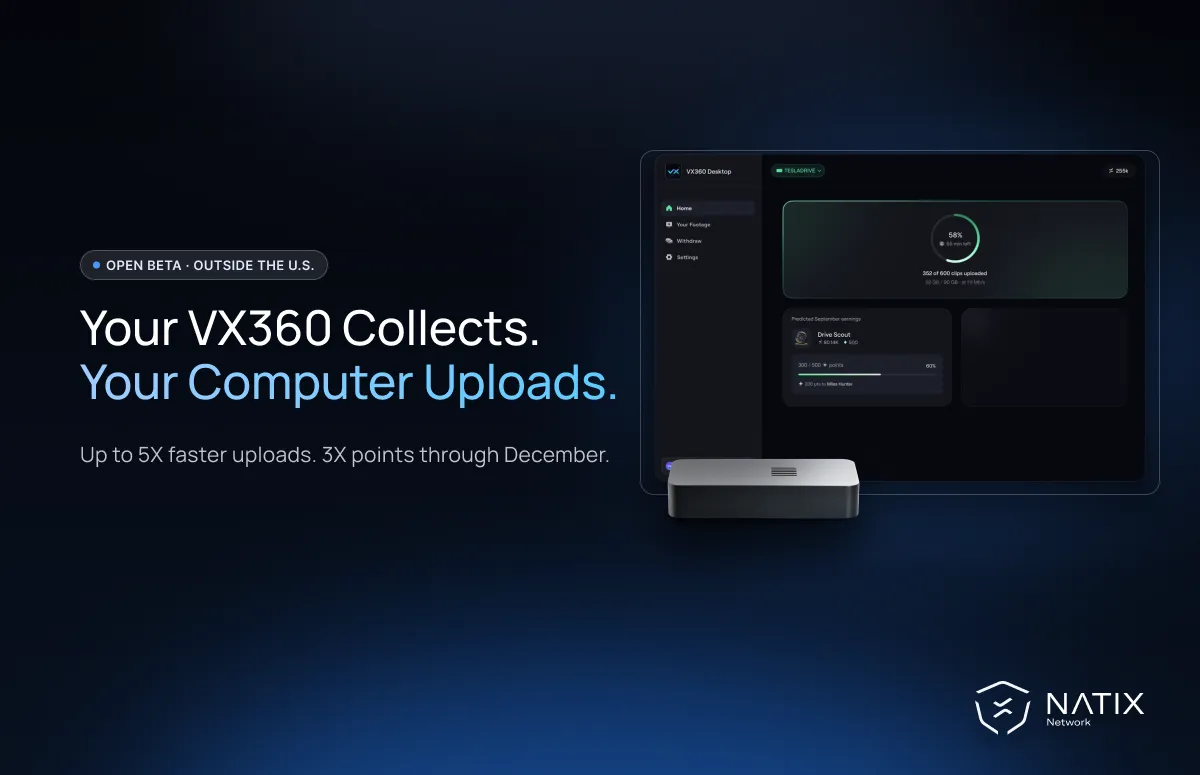
VX360 owners outside the U.S. can now upload footage from their computer with the Desktop App Open Beta, up to 5X faster than uploading from the device. Your VX360 keeps collecting in your Tesla; your computer handles the upload over its internet connection.
In October, VX360 drivers in the U.S. got a faster way to upload with the VX360 Desktop App Open Beta. The beta is now available to VX360 owners outside the U.S.
Drivers who migrate also earn 3X points on eligible kilometers driven through December 31, 2026, and can work toward Apex Driver, a new top tier with a 340,000 In-App NATIX reward.
Migration is one-way during the Open Beta: once you migrate, all uploads go through your computer. Ready to switch? Download the app for macOS (Apple Silicon), macOS (Intel), Windows or Linux.
Your VX360 continues recording in your Tesla as usual. You only disconnect it when you are ready to upload.
Connect your VX360 to your computer with the same Micro-USB cable you use in the car. The Desktop App analyzes your footage, calculates your points and automatically uploads the footage the network needs over your computer's internet connection. Return the VX360 to your Tesla before your next drive.
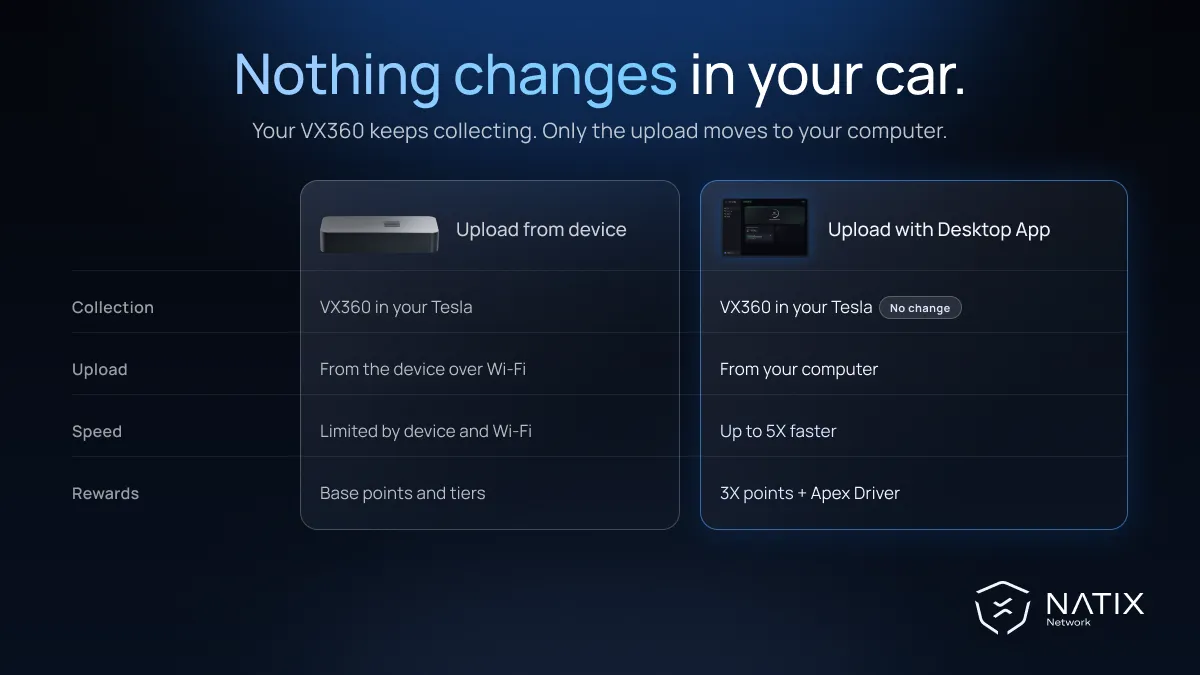
You earn points for every kilometer you drive, not for the amount of footage you upload. When you connect your VX360, the Desktop App analyzes all the footage on the device, calculates your rewards based on the kilometers driven, then automatically uploads only the footage the network needs, selected by speed and time thresholds. So even if footage from a trip is not uploaded, you still earn points for every kilometer of it.
Your VX360 stores about 12 to 13 hours of footage. If that storage fills up before you connect it to your computer, new trips can no longer be saved to the device and won't earn points, so connect it regularly to keep every kilometer counted.
If you followed the U.S. launch, you may have seen that U.S. drivers can collect with any USB drive. That works because Tesla's Dashcam keeps a 24-hour rolling buffer in the U.S.
Outside the U.S., that buffer is still limited to 1 hour. Your VX360 is what saves recent clips before Tesla's system overwrites them, so you still need it in the car. The Desktop App takes over the upload, not the collection.
Faster uploads help you get collected footage processed sooner. Separately, drivers who migrate during the Open Beta earn a 3X points multiplier on eligible kilometers driven through December 31, 2026.
Uploading through the Desktop App also makes you eligible to work toward Apex Driver, a new top tier with a 340,000 In-App NATIX reward. Migration alone does not award the tier or its reward; you still need to meet the tier requirements.
If we proceed with the full Desktop App rollout, we will introduce $NATIX Bond Levels. New participants will need an initial Bond, created by locking a minimum amount of $NATIX, to join VX360 and start earning.
Drivers who migrate to the Desktop App will receive their initial Bond at no additional cost. NATIX will create and manage it on their behalf, with no $NATIX for them to lock. This NATIX-funded Bond cannot be claimed or withdrawn.
Higher Bond Levels will let drivers lock more $NATIX for additional benefits. We will share the amounts and benefits closer to a full rollout, and confirm whether the rollout will proceed by April 1, 2027.
Important: all existing data on your VX360 will be erased during migration, so upload any remaining footage before you start.
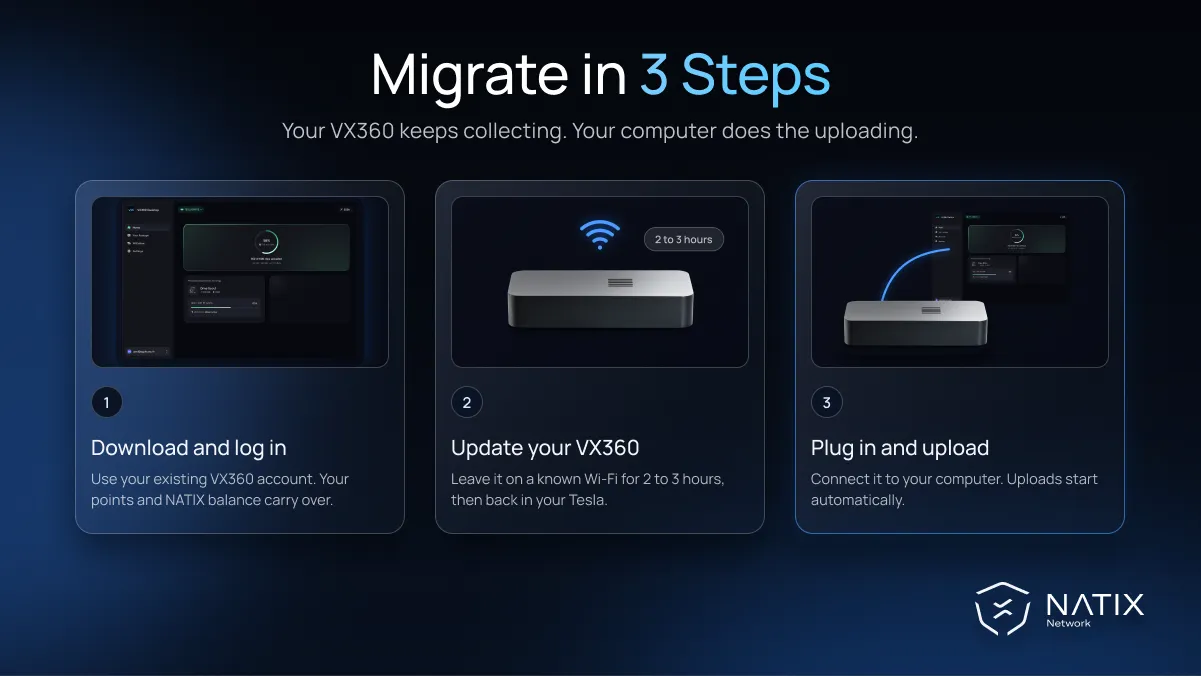
To join the Open Beta, you need:
If your device is not onboarded yet, contact our Customer Support team for help. The mobile app remains available during the Open Beta for features not yet in the Desktop App. Only upload footage from the vehicle linked to your VX360 account.
Migration is one-way during the Open Beta, so you cannot switch back to device uploads yourself. If we decide not to proceed with the rollout, we will reverse the migration and restore device uploads. We will announce our decision by April 1, 2027, in the app and by email. The NATIX and points you have earned stay yours either way.
Eligible VX360 drivers outside the U.S. can migrate today by downloading the Desktop App for macOS (Apple Silicon), macOS (Intel), Windows or Linux. If you drive in the U.S., follow the U.S. Desktop App guide instead.


